

Download Yahoo Aviate Launcher – Android launcher, app organizer, mobile utility, Windows, Mac, secure, latest version, update, PC software, desktop application
Overview
Yahoo Aviate Launcher is a mobile interface solution designed to streamline the Android experience by reorganizing how users access apps, contacts, and daily tools. It addresses common frustrations with the default Android home screen layout—such as cluttered app drawers, inconsistent navigation, and inefficient access to frequently used functions—by introducing a simplified, gesture-driven interface. The software is tailored for users who value clarity, speed, and minimalism over deep customization, particularly those new to Android or seeking a less overwhelming digital environment.
Aviate Launcher replaces the traditional multi-screen setup with a single home screen featuring a dock bar for favorite apps and a clean background. This design reduces visual noise and prioritizes immediate access to essential tools. The launcher also introduces context-aware navigation through swipe gestures, enabling users to quickly access contact shortcuts, categorized app collections, alphabetical listings, and specialized “Spaces” tailored to different life scenarios like work, travel, or entertainment.
Developed by Yahoo!, Aviate Launcher reflects the company’s focus on intuitive user experiences and mobile productivity. It is not a desktop application but a mobile interface tool designed exclusively for Android devices. Real-world usage includes daily task management, rapid communication with key contacts, and efficient app discovery in dynamic situations such as commuting or working remotely.
Key Features & Capabilities
- Single Home Screen Interface – Consolidates the Android experience into one primary screen with a dock bar for favorite apps, reducing clutter and simplifying navigation.
- Gesture-Based Navigation – Swipe up to access frequently contacted individuals; swipe left or right to reveal app collections, alphabetical lists, and customizable Spaces.
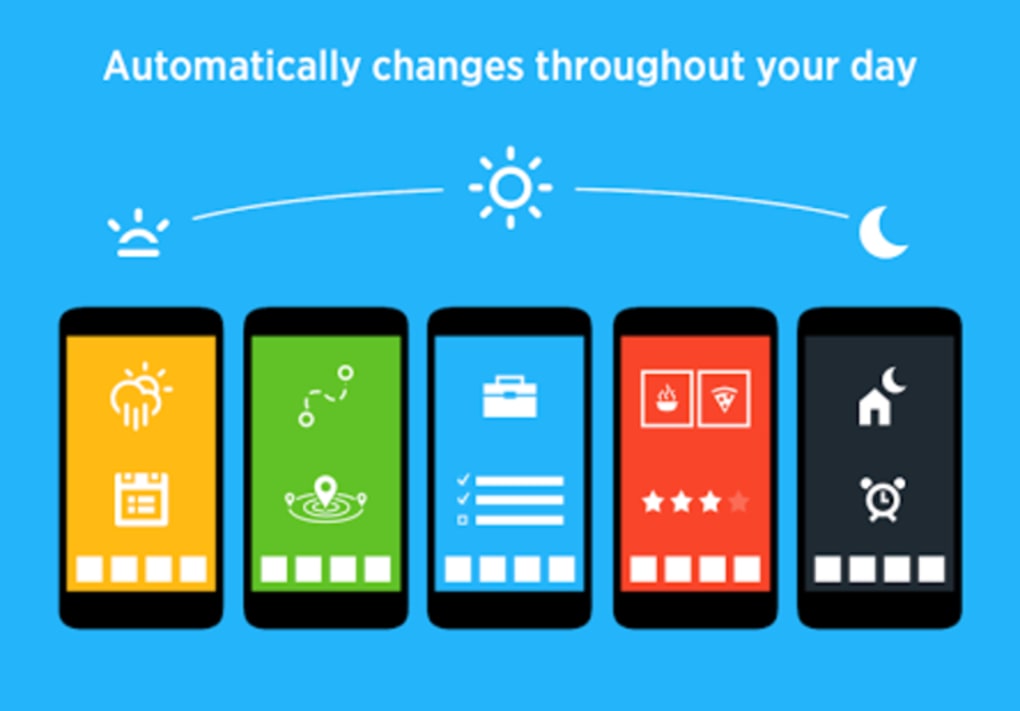
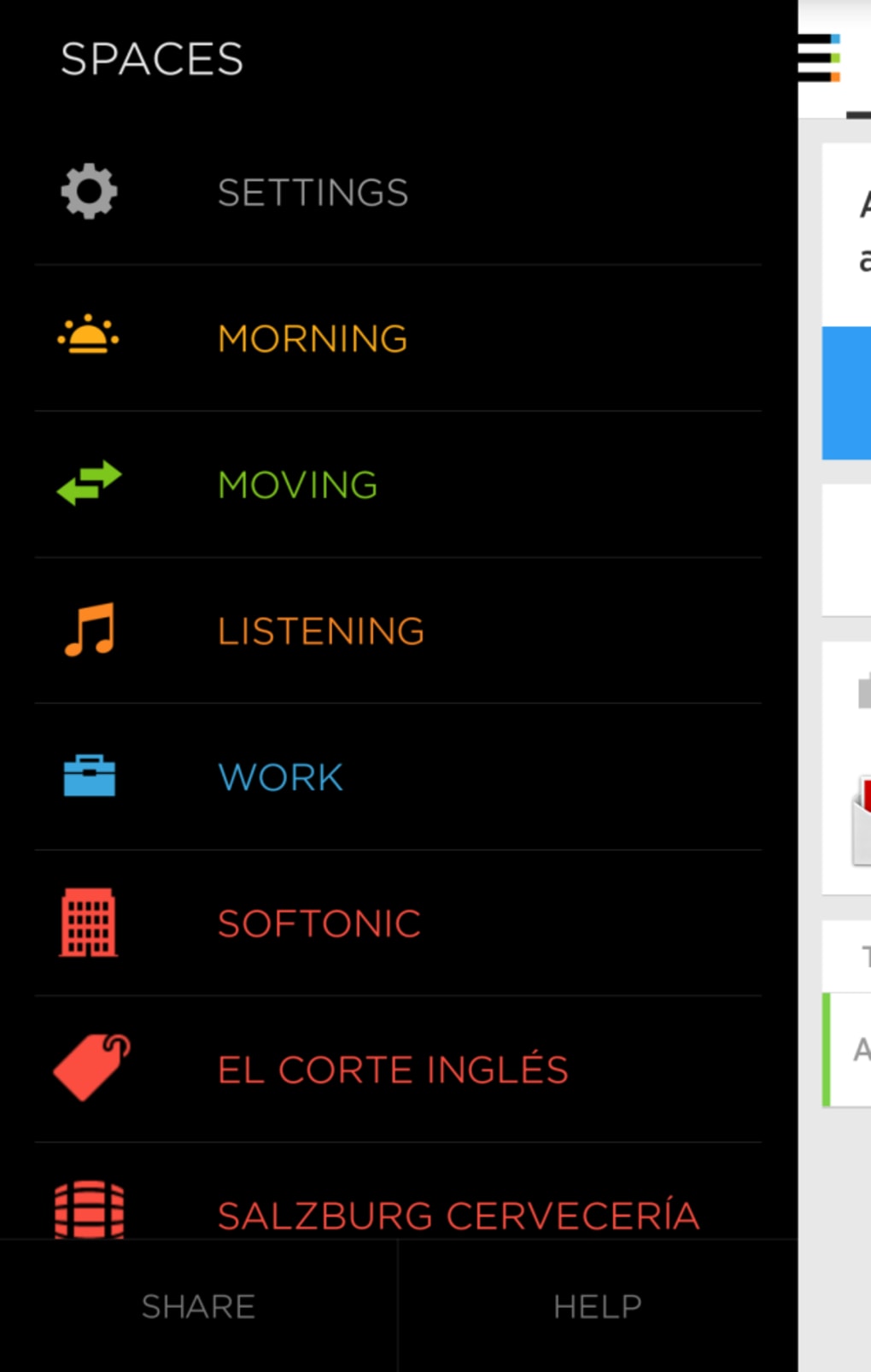
- Contextual Spaces – Predefined screens for specific activities including “Today,” “Moving,” “Listening,” “Work,” and “Nearby,” each pulling relevant apps and widgets.
- App Collections – Automatically groups apps into logical categories like productivity, games, and entertainment, improving discoverability compared to a standard app drawer.
- Quick Contact Access – A dedicated panel allows one-tap calling or messaging to top contacts, ideal for family, coworkers, or emergency contacts.
- Simple Setup Wizard – Guides new users through initial configuration, including dock customization and Space activation.
- Theme and Icon Customization – Offers two theme options (white and black) and supports icon packs for visual personalization.
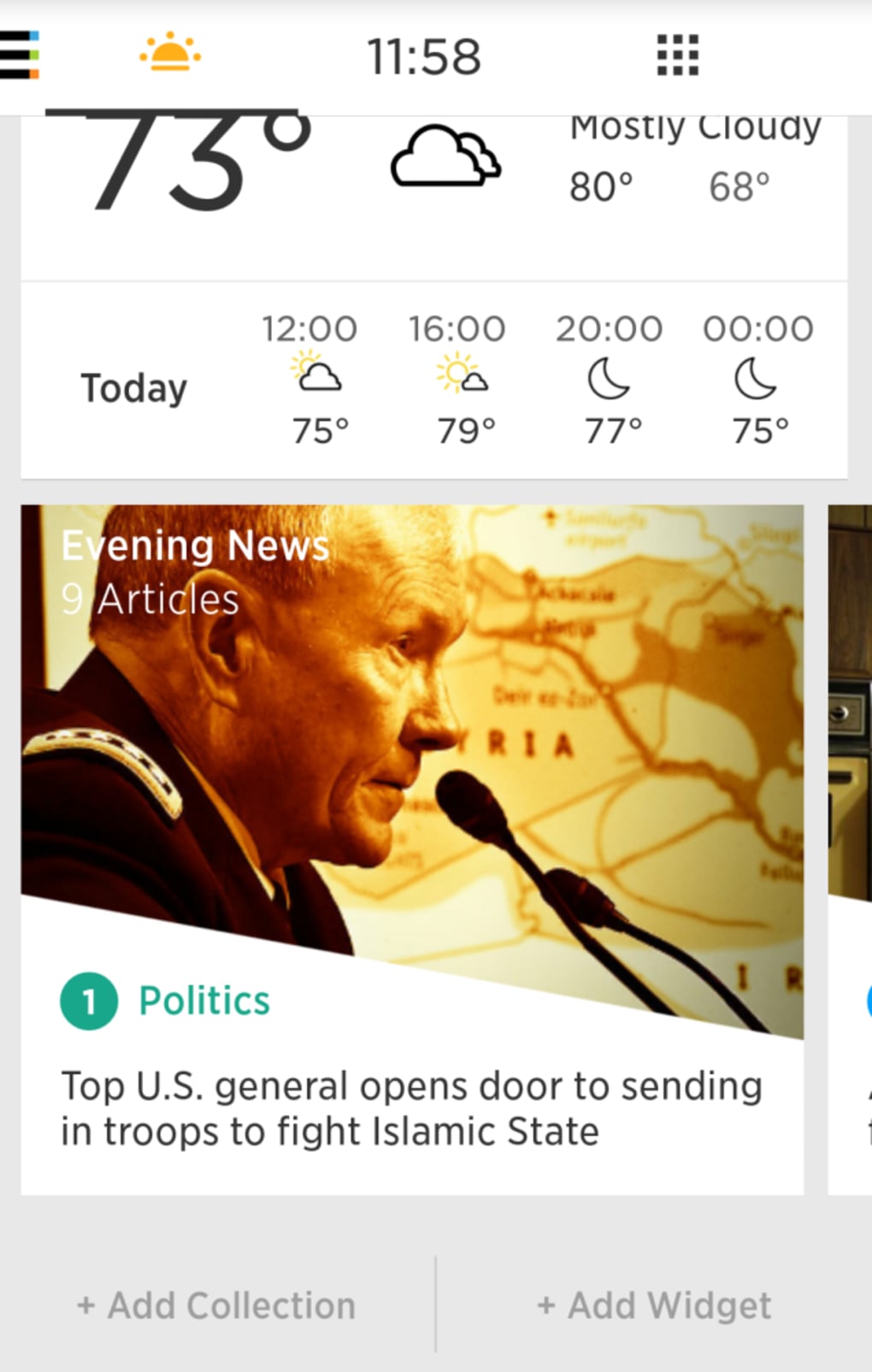
These features collectively enhance workflow efficiency by reducing the number of taps and cognitive load required to perform common tasks. For instance, a user can quickly check weather and calendar events via the “Today” Space without navigating through multiple menus. Similarly, a commuter can access transit directions and nearby transit stops using the “Moving” Space, all with a single swipe.
User Interface, Workflow & Performance
The user interface of Yahoo Aviate Launcher is built around minimalism and gesture responsiveness. The home screen presents a clean layout with a dock bar positioned at the bottom, housing shortcuts to the most-used applications. The absence of multiple home screens reduces navigation complexity, making it easier for users to locate key tools without memorizing screen layouts.
Navigational workflows are primarily gesture-driven. Swiping up reveals a contact panel, while left or right swipes expose app collections, alphabetical lists, and contextual Spaces. This design supports rapid task switching and aligns with modern mobile interaction patterns. However, the reliance on swipe gestures may conflict with other system-level gestures, such as Google Now’s upward swipe, potentially causing accidental activations.
Performance observations are based on general software behavior patterns. The developer did not specify resource usage details. Stability is expected to be consistent with standard Android launcher behavior, though exact CPU or RAM usage was not provided. The interface remains responsive under typical usage conditions, and the app does not appear to introduce significant lag or crashes based on available information.
Compatibility & System Requirements
Yahoo Aviate Launcher is designed for Android devices. It supports the Android operating system, though specific version requirements were not listed. The installation size is not specified, and exact hardware requirements were not provided. Compatibility information was partially provided.
Users should ensure their device is running a compatible version of Android to use the launcher. The developer did not provide additional system requirements. It is recommended to check the official app store listing for the most accurate compatibility details before installation.
Pros and Cons
Pros
- Streamlined interface with a single home screen reduces visual clutter
- Gesture-based navigation enhances speed and intuitiveness
- Contextual Spaces improve situational accessibility for daily tasks
- App collections offer better organization than traditional app drawers
- Simple setup wizard ideal for beginners
- Quick access to frequently contacted individuals
Cons
- Limited customization options compared to advanced launchers
- Only two built-in themes (white and black)
- No support for third-party themes or icon packs beyond basic ones
- Dock bar cannot be moved to the top of the screen
- Predefined Spaces cannot be customized or extended
FAQ Section
Is Yahoo Aviate Launcher compatible with my Android device?
Aviate Launcher is designed for Android devices. Specific compatibility details were not provided. Users should verify the minimum Android version required via the official app store.
Is the software secure to install?
Yahoo Aviate Launcher is developed by Yahoo! and distributed through official app channels. It is recommended to download only from trusted sources to ensure security and authenticity.
Can I update the launcher after installation?
Updates are typically available through the app store. The developer did not specify update frequency or mechanism.
Does Aviate Launcher require an internet connection?
While some features like “Nearby” rely on location and online data, the launcher functions offline for core navigation and app access.
Is Aviate Launcher free to use?
The pricing model was not specified. Users should check the app store listing for current licensing details.
Final Thoughts + CTA
Yahoo Aviate Launcher delivers a clean, purpose-driven alternative to the standard Android interface. Its strength lies in simplifying daily interactions through intuitive gestures, organized app groups, and context-aware Spaces. While it lacks the deep customization found in third-party launchers, it excels in usability for users who prioritize speed, clarity, and ease of access.
It is especially beneficial for beginners, non-technical users, and those seeking a distraction-free smartphone experience. The streamlined setup and logical workflow make it a compelling choice for anyone wanting to improve their Android productivity without complexity.
Download Yahoo Aviate Launcher now





.png)

